The SSD market is sprawling—from cheap, modest-performance entry models to pricey drives with extreme endurance and ultra-low latency. For data center managers, buying often means juggling market supply, budget, performance specs, and urgent deployment deadlines all at once. But picking the right drive is never as simple as "find the lowest price" or "grab whatever tops the spec sheet on speed."
We've talked with hundreds of customers, distributors, and OEMs about how they choose drives, and along the way we've heard some memorable failure stories. Drawing on that experience, we've pulled together the four mistakes companies most often make when selecting drives for the data center.
Mistake 1: Using Consumer Drives Where Enterprise Is Needed
It sounds like common sense, yet the single biggest mistake is substituting consumer products for enterprise ones. The reasons are familiar: lower price, a more recognizable brand, a universal rip-and-replace strategy, and the fact that you can buy them almost anywhere. The catch is that consumer and enterprise drives are fundamentally different—very few consumer drives are built for heavy, around-the-clock operation.
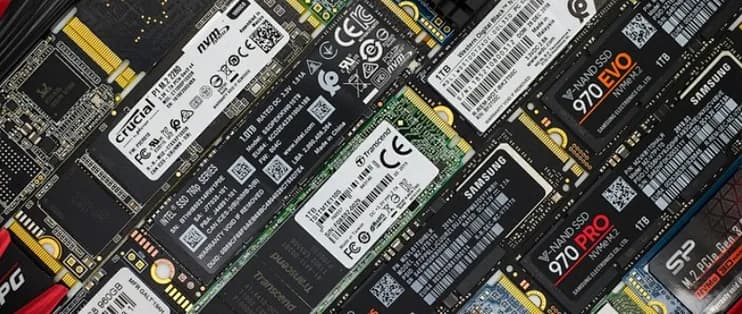
Enterprise drives are validated on enterprise platforms—servers with RAID controllers, not desktops. In fact, a drive that hasn't been tested on an enterprise platform may not even be recognized when you install it. A consumer drive might run fine at first, but once you deploy hundreds of them, you'll find they simply can't handle long-running enterprise applications.
On top of that, newer client drives use unusual caching schemes—dynamically reconfiguring NAND so that part of the flash is used as cache. Put plainly, dropping client drives into a RAID configuration and running heavy workloads is asking for trouble.
This may look attractive for keeping procurement costs down, but it becomes genuinely risky once you roll it out enterprise-wide. Today's drives are tailored to specific applications, and using one outside its intended use only invites more technical issues. Worse, if you run into problems using client SSDs in an enterprise application, getting support from the manufacturer is next to impossible.
Mistake 2: Picking the Wrong Endurance Tier or Workload Intensity
No one ever got fired for buying an SSD that won't wear out, but people do overestimate their write needs—because they still estimate using old rules of thumb like "rate both the 240GB and the 1TB drive at 1DWPD." Choosing the right endurance tier for your actual enterprise application directly affects your system's BOM cost.
Different environments also vary widely in read versus write intensity. If your application reads far more than it writes (think VOD streaming or database warehousing) but you buy a drive with high write endurance, you've paid for capability you don't need. Conversely, choosing a read-intensive drive for database logging or caching is a poor fit, since those are write-intensive workloads.
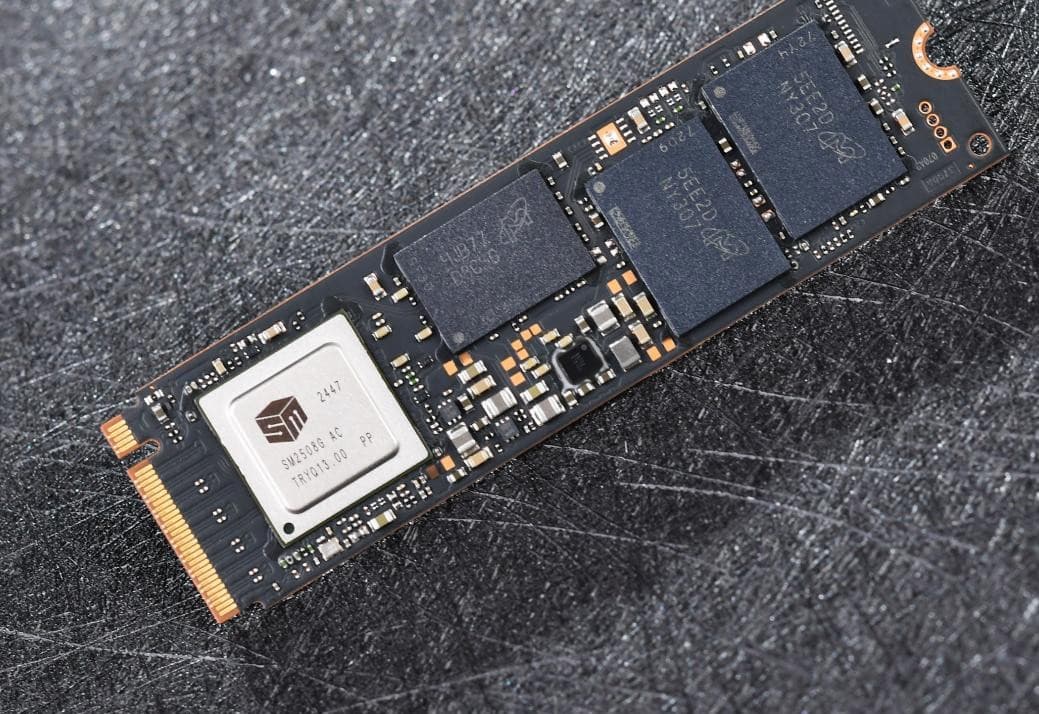
Endurance also surfaces when deciding between full-capacity drives and over-provisioned (OP) ones. If you buy a drive that writes the full 250GB / 500GB / 1TB, you lose performance: once capacity hits around 90%, data has to be fully erased before it can be overwritten, which hurts random read/write and latency and causes a sharp drop in performance. With an OP drive, most of these delete/rewrite operations happen from a clean state, because the erase work takes place within the reserved space and doesn't affect application performance.
Mistake 3: Testing With the Wrong Scripts and Skipping Negative Testing
There are two ways to evaluate a drive: trust the specs on the manufacturer's data sheet, or assess the drive with your own exact setup and test scripts. If you simply trust the specs, you'll never know how those peak or average figures were achieved—or whether the drive actually suits your environment. So we recommend running your own specific benchmarks first, before committing to a large-scale purchase.
We validate enterprise products across multiple server platforms using a range of third-party and OEM RAID controllers. Each drive goes through a rigorous battery of compatibility, IO performance, latency, and endurance tests, and we evaluate consistency across the drive's sectors. Client-drive test modes run none of these, because most client drives focus solely on performing well within a single processor and a single application.
We also use a variety of scripts and data sets. Before recording any performance data, we precondition the SSD for an extended period to ensure we're capturing steady-state performance. We test the entire drive rather than just a portion of it, then publish the real results. IOPS and latency are sampled at short intervals (per I/O or every ½ second, measured to capture QoS metrics), whereas a client drive's sampling interval might be as long as 5 seconds—which can distort the true performance picture.
Mistake 4: Chasing Cheap, No-Name SSDs Over Reputable Brands
We once heard of a major film studio that ordered drives straight from a consumer e-commerce platform simply because some executives spotted a bargain. But if you don't buy through a reliable enterprise channel distributor, it can come back to bite you—from consumer-facing retail, ending up with off-brand product or hardware that differs from what you expected is hardly rare.
Most channel distributors—and manufacturers themselves—maintain dedicated teams to help you find the best fit for your specific application. Sometimes that's an off-the-shelf product, and they not only sell it but also provide direct engineering-level support when something goes wrong. Other times you need components selected specifically for a custom system, and putting your engineers in direct contact with the manufacturer helps surface the exact operating conditions, data-overuse patterns, and application-specific constraints in your system.
A few years ago, a custom server builder went cheap and used 24 no-name consumer drives to build a RAID array in a single system. The logic was: the drives are so cheap that when one fails, you just pull and replace it. It ran fine for about the first year and a half—then drives began failing at a rate of seven to ten per week. At a certain point, cheap off-brand drives become counterproductive, because replacing drives at that pace adds up and drives total cost back up.
The company later switched to reliable enterprise SSDs and quickly gained on lifespan, performance, and direct manufacturer support. With an engineering line of communication to their supplier, they could troubleshoot quickly and with confidence, and avoid supply problems when drives were discontinued, recalled, or replaced by a new generation.
In Short: Understand Your Needs First, Then Find the Drive
Now that we know the common mistakes, we can do our best to avoid them. You can always buy off the shelf, but taking the time to truly understand your needs and then matching them to the right SSD pays off the most over the long run.









